WorkStep is a platform for frontline hiring and retention. I wrote the administrator documentation for team access management.
The challenge: explaining access before configuration
People using WorkStep on a warehouse floor or delivery route have a different role from the people who configure it. Team structure, access levels, and visibility are administrator decisions, usually handled by IT or HR operations. I assumed no familiarity with the frontline workflow.
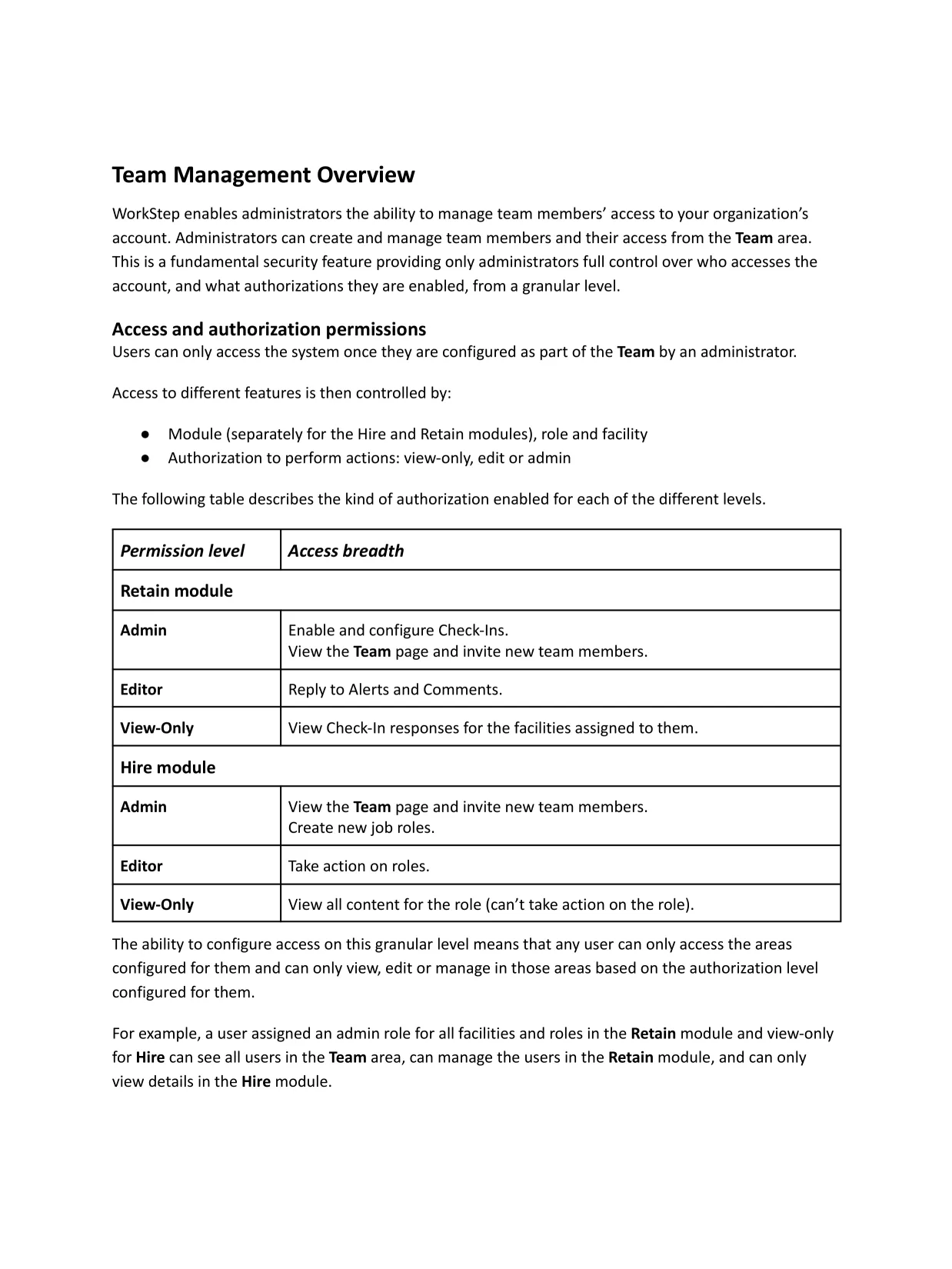
Access is configured separately for WorkStep’s Hire and Retain modules. Each user has a permission level and an access scope based on facilities and roles. An administrator’s own access also limits what they can grant to another user.
Those rules had to be clear before an administrator could make the right configuration choices.
The documentation
The material is organized around the information an administrator needs to manage team access:
- Access model. Permission levels for Hire and Retain, plus the facilities and roles that define access scope.
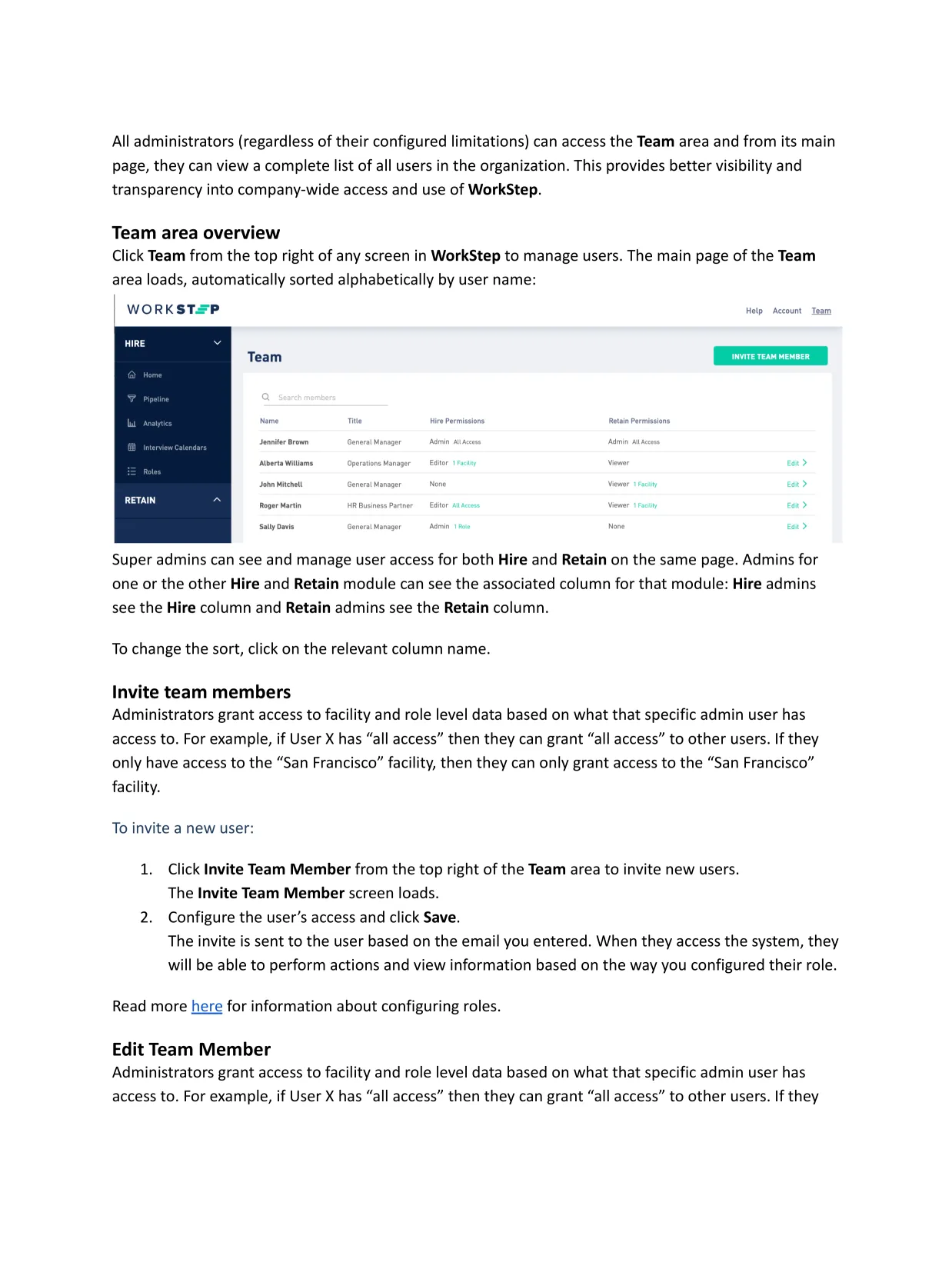
- Team management. Viewing users, inviting team members, editing permissions, and changing access scope.
- Access limits. How an administrator’s own permissions determine what they can grant.
- Deactivation. Removing a user’s access to WorkStep.
Inviting and editing use the same permission fields, so both procedures use the same configuration model. Permission level and access scope remain separate because administrators have to choose both before saving a user.
Approach
Orientation, value and outcome should always come before procedures. Here, administrators first learn how team access works, what each permission level allows, and how facilities and roles affect access. An administrator choosing between Admin, Editor, and View-Only also needs to understand the scope attached to that choice and the limits created by their own access. Only then do the task instructions begin.